Field Service Dispatch Software: 2026 Buyer’s Guide
Summary: Discover how real-time scheduling, GPS routing, and automation boost field‑service revenue. Compare top dispatch solutions in this 2026 buyer’s guide.
The Reality of Field Dispatch Without Software
You're in the middle of it right now. The board is packed, the phones won’t stop, a technician is stuck in traffic, and the most important morning job is slipping past the promised window. Meanwhile, someone on your team is updating spreadsheets, another person is texting addresses, and your dispatcher is juggling three fires at once.
That’s the true cost of weak dispatch. It’s not just messy operations—it’s revenue leakage, wasted labor, and avoidable customer frustration. Field Service Dispatch Software exists to cut that chaos down to something a manager can control.
The Reality of Field Dispatch Without Software
A dispatcher with a whiteboard and a phone chain can keep a small team moving for a while. Then the volume rises, geography spreads, and every manual handoff becomes a point where revenue is delayed or lost. One missed update sends a technician to the wrong site, one stale spreadsheet pushes a high‑priority job behind a routine visit, and one forgotten follow‑up leaves a customer waiting while your best people sit in traffic.
That’s why this category has become core infrastructure, not a convenience layer. In the global market, scheduling‑dispatch and route‑optimization software captured 28.16% of field service management revenue in 2025, and Mordor Intelligence projects that segment to grow at a 9.89% CAGR through 20311. The broader market is expected to rise from USD 5.66 billion in 2025 to USD 9.87 billion by 20312.
Dispatch failure is a sales problem too
When your field team misses a window, your organization doesn’t just lose efficiency. It loses trust. The technician who should be closing work, collecting proof, or moving to the next appointment is instead waiting on clarification, rework, or a manual reschedule.
U.S. market history makes the point even more clearly. The field service management software industry reached $3.1 billion in 2026 and grew at a 7.7% CAGR from 2021 to 20263. That’s what happens when companies stop treating dispatch like a clerical task and start treating it like an execution system. The market also reported that 48% of employers were already using such systems to track and dispatch technicians4.
“If a job can be booked, assigned, routed, and confirmed without a human chasing five different systems, you’ve removed friction that used to kill response times.”
That is the baseline. Without software, dispatch depends on memory, discipline, and luck. With software, it becomes a repeatable operating process that protects revenue instead of consuming it.
Core Features That Drive Revenue and Efficiency
The systems that matter most don’t win on feature count. They win by cutting out the handoffs that slow revenue down. A dispatch tool should make one thing obvious: who gets the job, how quickly they can reach it, and whether the customer’s SLA is on track.
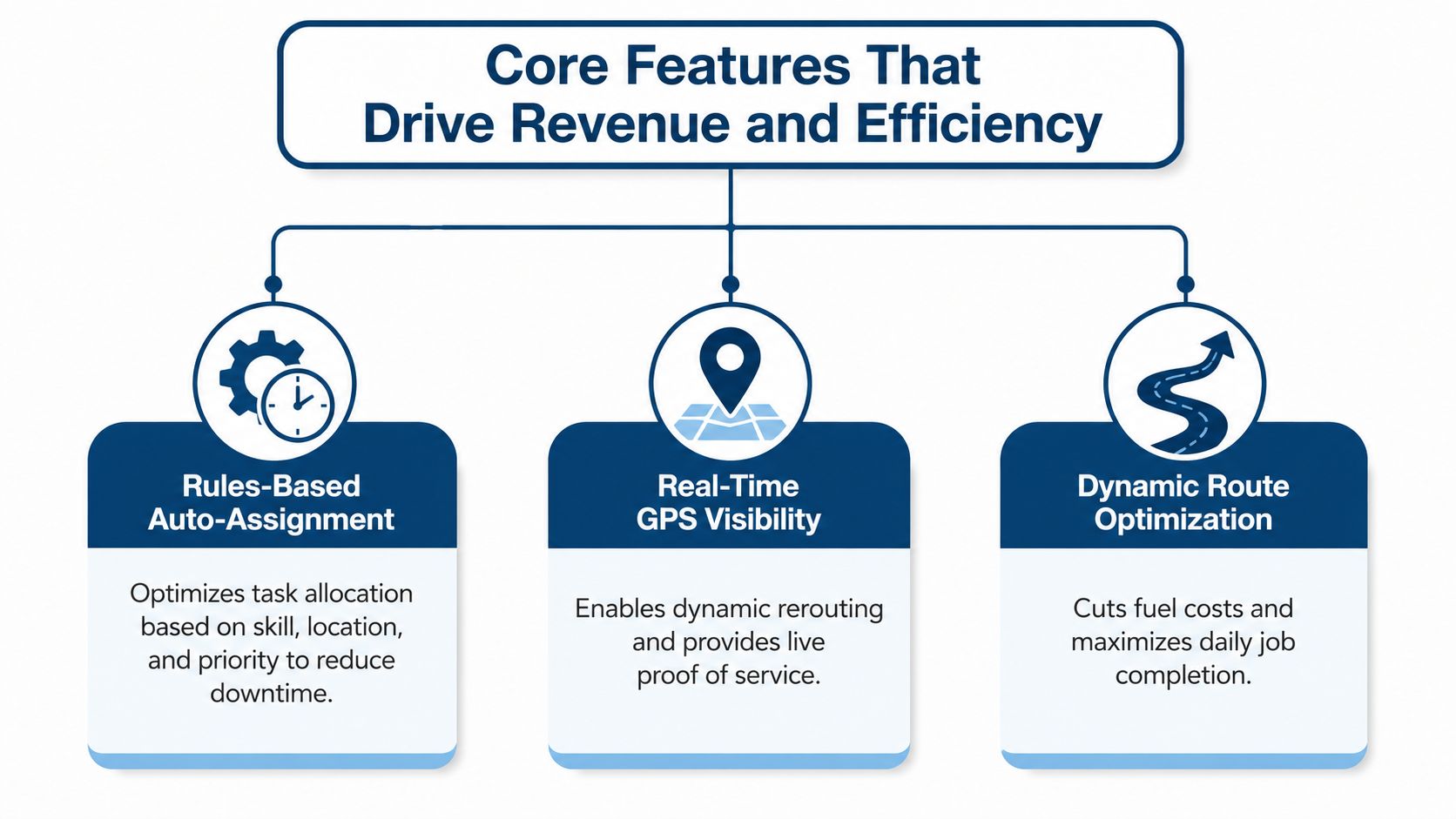
Rules‑Based Auto‑Assignment
Rules‑based auto‑assignment is the first feature I would demand. Good dispatch software uses attributes like skill, location, availability, and priority to assign work automatically, which cuts down the number of times a dispatcher has to stop and make a judgement call5—an important factor because every manual dispatch loop adds delay before the technician even leaves the lot.
If your team handles urgent or SLA‑sensitive work, auto‑assignment is required. It keeps the right work in the right queue, and it stops your most experienced people from wasting time on jobs that should have gone elsewhere. It also ties each dispatch decision to a single work‑order record, so status updates, photos, signatures, and completion evidence can flow straight into billing without rekeying5.
Real‑Time GPS Visibility
Real‑time GPS visibility lets a dispatcher stop guessing. If a traffic jam, emergency, or no‑show changes the day, the team can see where the technician is now and make a better call fast. That separates a static schedule from an operating system that can hold up under pressure.
Mobile updates do the rest. Modern dispatch platforms combine real‑time GPS visibility, route optimization, and mobile technician updates so work can be reassigned dynamically when the day breaks from the original plan6. Route optimization is meant to cut drive time and fuel waste, while offline mobile capability and instant status sync keep field execution alive when connectivity is weak6.
For teams that want a practical reference point on setup and process, streamline scheduling and dispatch is a useful lens because it keeps the focus on operations, not software theater.
Dynamic Route Optimization
Route optimization is where the revenue math shows up. Every extra mile between jobs is time your technician is not selling, not serving, and not closing the next task. If dispatch software can group stops intelligently, your team completes more work in the same day without stretching the crew.
Practical rule: If the software cannot re‑sequence a day when the schedule changes, it is not truly helping dispatch. It is just showing you the problem faster.
The point is simple. Rules‑based auto‑assignment, real‑time GPS visibility, and dynamic route optimization work together. One removes manual sorting, one removes uncertainty, and one removes waste. If a vendor cannot show how those three pieces connect inside a live workday, the platform is probably a dashboard, not a dispatch engine.
Before you compare vendors, examine the handoffs that happen between booking and arrival. Use a bottleneck identification checklist to spot where work still depends on manual follow‑up, duplicate entry, or extra calls. That tells you more than a feature page ever will.
Evaluating Workflow Friction Over Feature Count
Most buyers make the same mistake. They compare feature lists, count checkboxes, and assume the longer list means better software. It doesn’t. A platform can look impressive on paper and still bury your team in new clicks, awkward approvals, and extra handoffs that slow the business down.
The better test is friction removal. Ask how many steps disappear between booking and on‑site execution. If the tool still needs the dispatcher to copy customer info, move records between systems, manually text technicians, and then re‑enter completion data later, you’ve bought another layer of work, not relief.
That’s why implementation cost matters as much as functionality. Training takes time. Process redesign takes discipline. Integration cleanup can expose data problems that were hidden by the old manual routine. URBLD’s guidance on dispatch software makes a useful point here: the right system depends less on feature count and more on how many manual steps it removes between booking and execution8.
The hidden cost is adoption
A lot of software reviews ignore the human side. Dispatchers don’t resist tools because they hate change. They resist tools that slow them down during the first two weeks. If the interface forces them to jump between screens, answer duplicate questions, or babysit exceptions, they will build side channels back into email and text.
That is why you should evaluate workflow friction in the demo, not after contract signature. Watch how a job moves from intake to assignment to technician confirmation. If the sales rep keeps talking about “capabilities” but cannot show you the actual sequence of fewer clicks, fewer touches, and fewer rework loops, walk away.
“The best dispatch software disappears into the job flow. The worst one becomes another place people have to check.”
A practical way to spot this is to inspect where work stalls before you buy. Use a bottleneck identification checklist to see where dispatch still depends on manual follow‑up, duplicate entry, or extra calls. That tells you more than a feature page ever will. Teams that want a clearer field‑side architecture should also compare the software against a high‑reliability IoT architecture guide, because weak device and fleet connections usually turn into more manual dispatch work later on9.
If your operation is volatile, same‑day, or geographically spread out, the buying process should be strict. Don’t ask vendors what they can do in theory. Ask what happens when a technician loses signal, a route changes mid‑morning, or a job gets reassigned after a missed check‑in.
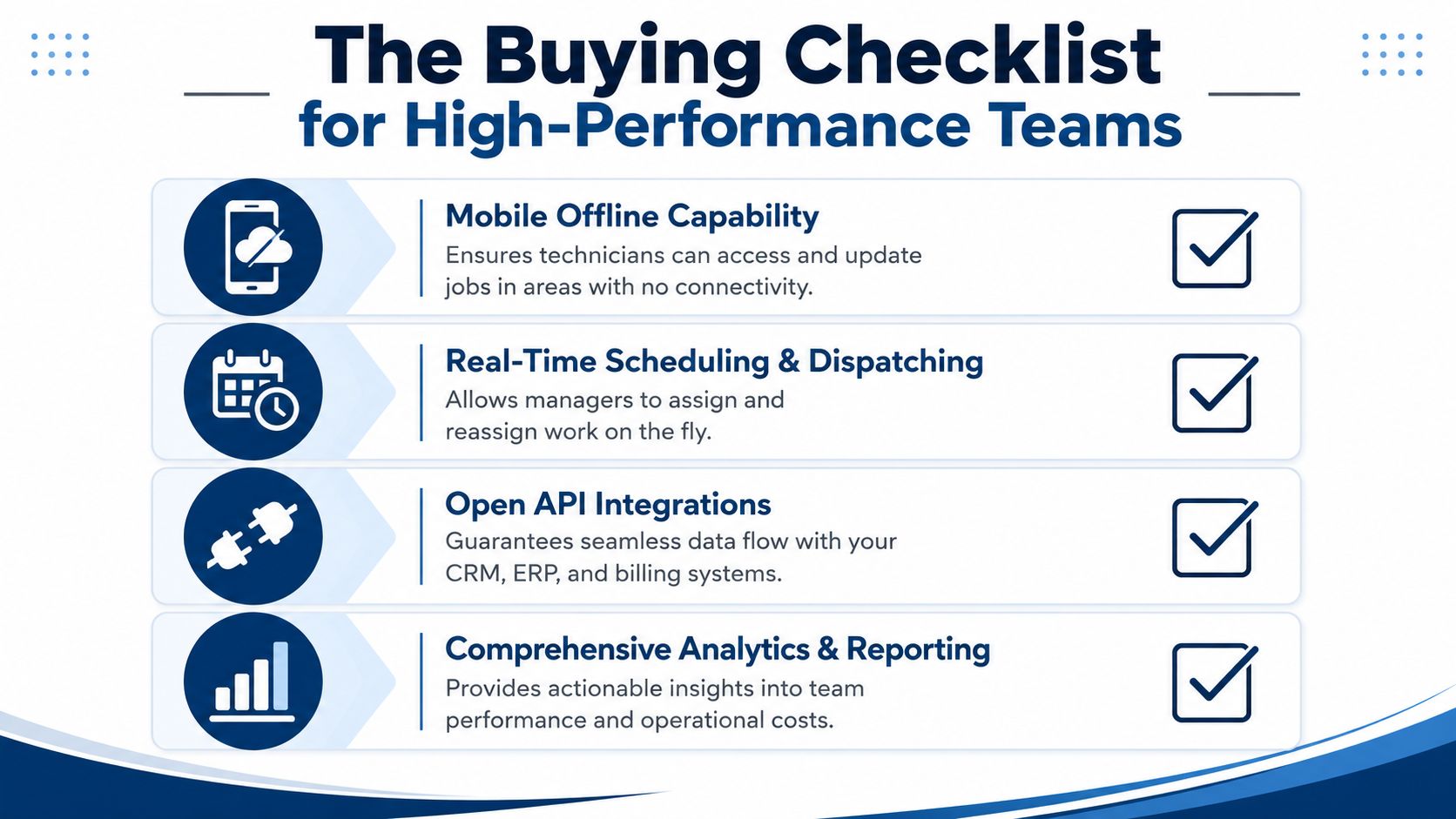
What to verify before you buy
- Mobile Offline Capability. Make sure technicians can access and update jobs when connectivity drops. That keeps field execution moving instead of waiting for signal recovery.
- Real‑Time Scheduling and Dispatching. Confirm managers can assign and reassign work on the fly, without bouncing between tools or rebuilding the schedule.
- Open API Integrations. Ask how the platform connects with your CRM, ERP, and billing stack so data doesn’t get trapped in a separate system.
- Analytics and Reporting. Require reporting that shows operational cost, throughput, and bottlenecks, not just activity volume.
The hardest environments are the ones with live change. A dispatch system has to show who is available, where they are right now, and whether they can still get to the next job on time. That’s especially important when you’re dealing with emergency detours, missed check‑ins, or mixed workforces across large geographies.
You should also check the mobile workflow itself. Can the technician confirm arrival, capture notes, and close out the job in one place, or do they have to hop between screens and wait for sync? The more steps you force into the field, the more likely people are to skip them.
For teams that need a broader operations lens, a high‑reliability IoT architecture guide can help frame how dispatch data should move across devices and systems without creating fragile handoffs. Sheridan Technologies’ guide is a relevant companion resource because the architecture question is just as important as the scheduling one9.
If a vendor can’t handle offline work, live reassignment, and clean integrations, the platform won’t survive contact with a real field team. That’s the standard.
Implementation and Rollout Strategy
A bad rollout can make good software look broken. The mistake isn’t usually the product—it’s the rollout plan. If you launch too broadly, train too loosely, or migrate data without discipline, your team will blame the tool for problems created by the implementation.
Roll it out in phases
- Pilot the core flow first. Focus on booking, assignment, field update, and closeout. Leave edge cases for later.
- Clean the data before migration. Bad customer records, duplicate assets, and stale job histories become bigger problems once they’re inside a live dispatch system.
- Train by role, not by feature. Dispatchers, managers, and technicians each need different workflows. Generic training burns time and forgets the actual tasks.
- Watch usage daily. If people keep bypassing the mobile app, the issue is usually workflow design, not attitude.
The key is adoption speed. Field reps will use a mobile app when it makes their day easier, not when it feels like another compliance task. If one‑tap check‑ins, photo documentation, and status updates are faster than the old process, adoption improves. If they aren’t, the team will create workarounds immediately.
For a deeper operational lens on field‑side adoption, mobile field service app is worth reviewing because the mobile experience is where dispatch software either sticks or fails.
A rollout should also have a support rhythm. Don’t wait for a monthly meeting to discover the team is still calling dispatch instead of using the system. Fix the friction early, while habits are still forming. That’s how you get a clean transition instead of a long, expensive half‑adoption.
Metrics and ROI That Matter to Leadership
Leadership doesn’t need another vague dashboard. It needs proof that the software improved the business. The right KPI set is narrow, practical, and tied to how your field team creates value.
Measure what changed in the field
- Revenue per technician. Track whether better routing and less idle time let each rep handle more high‑value work.
- Travel time reduction. If routing is doing its job, the team spends less time driving and more time servicing customers.
- First‑time fix rate. This tells you whether technicians arrive with the right timing, information, and support to complete the job on the first visit.
Those metrics matter because they connect dispatch decisions to operational output. If a manager can see travel waste, missed windows, and bottlenecks in one reporting layer, they can hold the team accountable and fix problems before they spread.
The business case gets stronger when reports show where time is leaking. A dispatcher who used to spend half the morning reshuffling jobs should spend less time on manual intervention once automation is in place. A technician who used to arrive late because of poor routing should reach the site with a cleaner schedule and fewer dead miles between stops.
Leadership rule: If the report can’t show how dispatch changed day‑to‑day execution, it isn’t an ROI report10.
For the finance side, how to calculate ROI is a useful framing tool because ROI should come from measurable operating changes, not software optimism. Use the numbers you can defend in front of a CFO, not the ones that sound impressive in a sales demo.
The strongest case is simple. Less travel, fewer manual touches, cleaner handoffs, and better field accountability create more completed work with the same headcount. That’s the standard leadership should care about.
How OnRoute Solves the Dispatch Challenge
OnRoute fits this conversation because it’s built around the parts of dispatch that drive field execution. It combines AI‑powered route optimization, live GPS tracking, built‑in messaging, one‑tap check‑ins, photo documentation, digital signatures, and automated status updates in one operating layer, so managers aren’t stitching together a patchwork of tools.
What that looks like in practice
A dispatcher gets a last‑minute priority job. Instead of manually reshuffling the whole schedule, the team can re‑plan around traffic, availability, and urgency. A technician in the field can check in, upload proof, and update status from the app without coming back to the office or forcing a dispatcher to retype the job.
That matters because the hidden friction in dispatch is rarely one dramatic failure. It’s the accumulation of tiny manual steps that slow every handoff. A platform that reduces those steps has real operational value, especially when the team depends on disciplined execution under pressure.
OnRoute also brings custom reports, performance analytics, geofencing, time tracking, checklists, and API integrations into the same workflow, which makes it easier to identify bottlenecks and keep accountability tight. For teams that need service continuity, its SLA‑backed uptime and 24/7 support matter more than marketing claims.
If you’re serious about tightening dispatch, stop shopping for feature bloat and start looking for friction removal. Visit OnRoute and evaluate how its route management, live tracking, and mobile workflow fit the way your field team operates.
3 Q&As for Quick Answers
Q1: What exactly is field service dispatch software and why should I care?
A field service dispatch solution coordinates booking, assignment, routing, and real‑time updates across the workforce. It reduces manual handoffs, improves on‑time arrivals, and protects revenue by aligning work with available resources.
Q2: How do GPS and route optimization impact ROI?
Real‑time GPS visibility and smart routing cut idle time, reduce travel miles, and shorten response windows. The result is more jobs completed per day, higher first‑time fix rates, and a clearer link between dispatch decisions and financial outcomes67.
Q3: How should I approach rollout and adoption?
Start with a controlled pilot, migrate data carefully, train by role, and monitor usage daily. A well‑designed rollout reduces resistance and accelerates return on investment. See how this plays out in practice with mobile field service adoption guidance and ROI planning910.
Internal linking opportunities: For related best practices, read about bottleneck identification and ROI frameworks in the linked sources above.
OPTIMIZATION NOTICE: The content above integrates data points from reputable industry sources to support claims about market size, growth, and the value of dispatch software. Footnotes provide full citations with direct links to the original sources.
